Managing Featured Products
Jump to navigation
Jump to search
This manual explains how to manage featured products in your website’s admin area.
1) Access the Featured Products Section
- Log in to the Admin Area of your website.
- Navigate to My Marketing Tools → Featured Products.
2) Search and Filter Featured Products
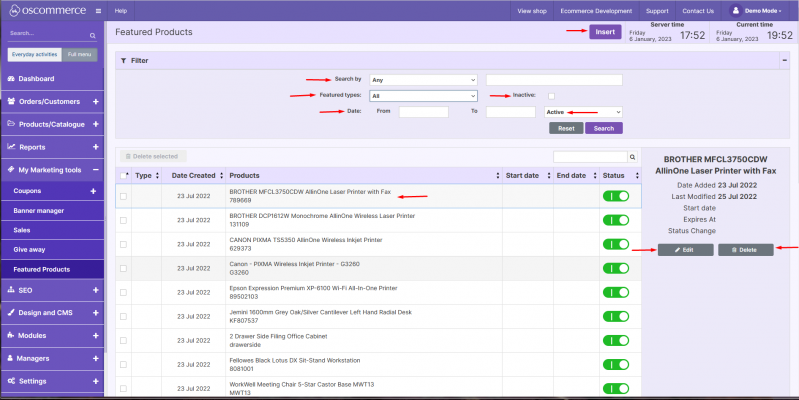
- Use the search and filter options to find featured products by:
- Product ID
- Product model
- Product name
- UPC, EAN, ISBN
- Date range
- Featured type
- Active or inactive status
- Start and end dates
3) Edit or Delete an Existing Featured Product
- Click on a featured product from the list.
- Click Edit, update the required fields and click Save.
- To delete, click the Delete button.
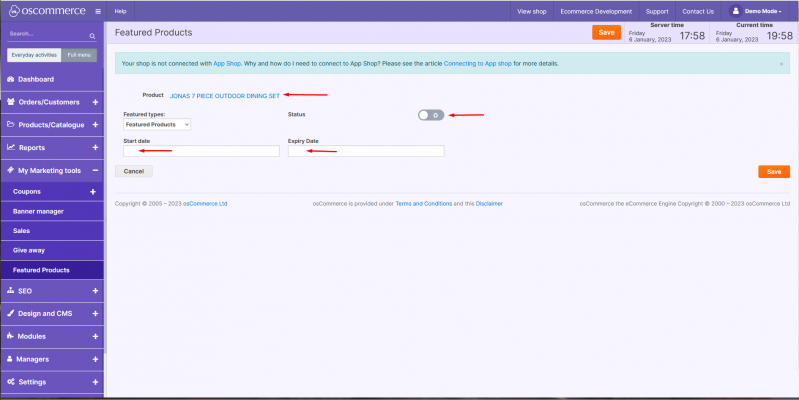
4) Add a New Featured Product
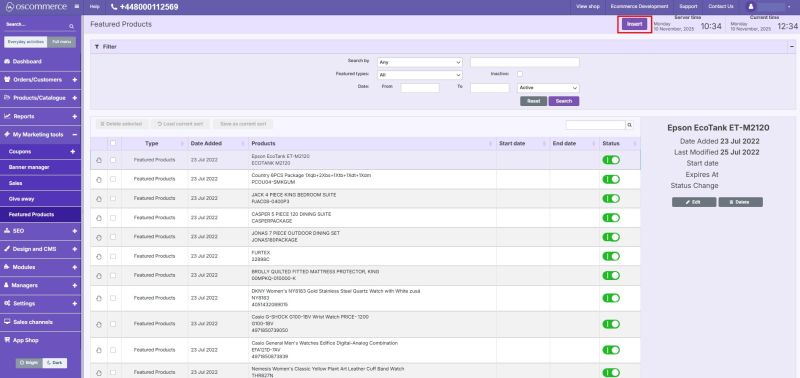
1. Click Insert.
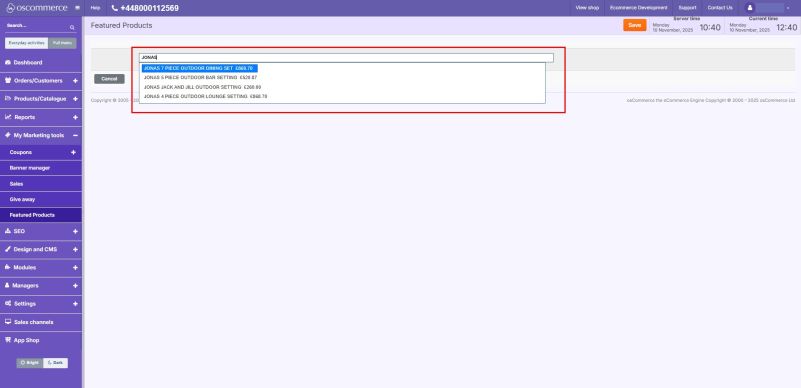
2. Use the product search field to locate the product you want to feature.
3. Select the product from the dropdown list.
4. Set the featured status (active/inactive).
5. (Optional) Set the Start and End dates to schedule when the product should be featured.
6. Click Save.
5) Display on the Front End
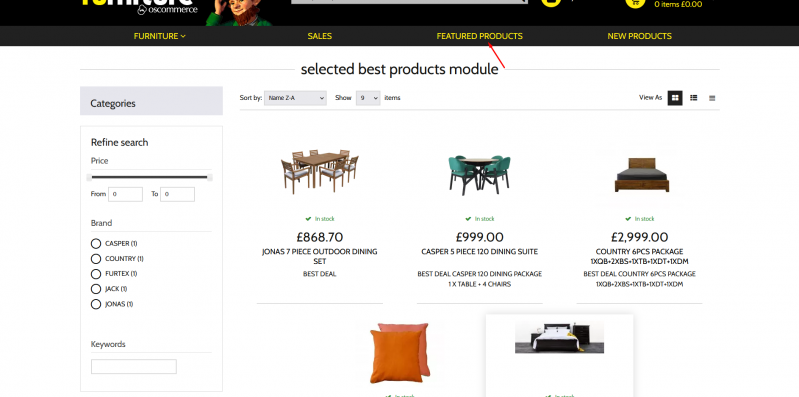
- Once configured, featured products will appear on the front end under the Featured Products section.