Managing Give Away
This manual explains how to enable and configure the Give Away functionality in your osCommerce store to create promotional offers such as “Buy and Get Free” or “Free Product for Order Total.”
Watch the video for a brief overview of this functionality.
The manual below provides step-by-step instructions.
1) Enable Give Away for a Product
- Access the admin area of your website.
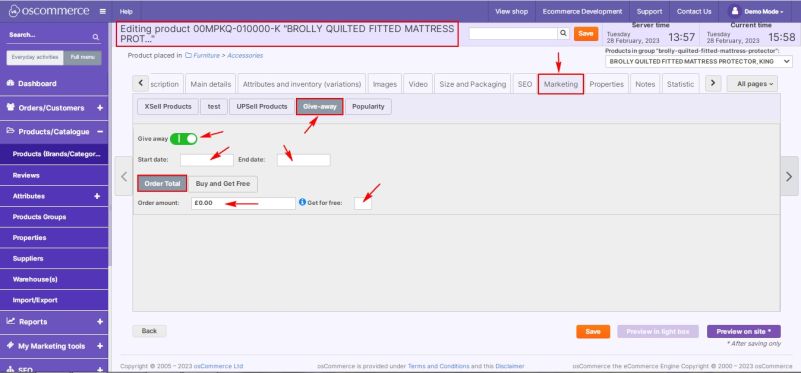
- While adding or editing a product, click on the Marketing → Give-away tab.
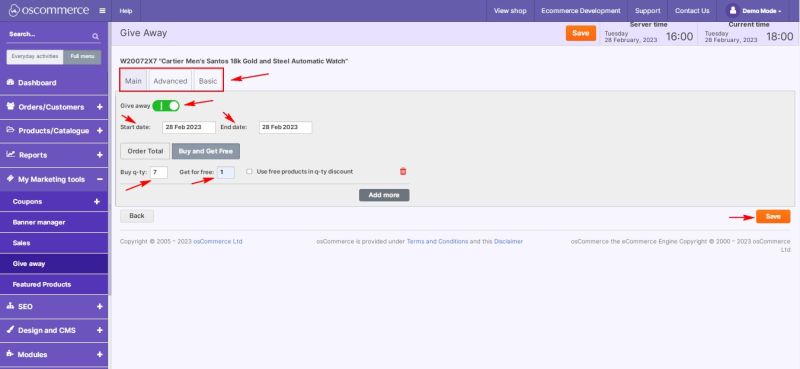
- Switch Give Away ON.
- Specify the Start Date and End Date for the promotion.
- If the End Date field is left empty, the giveaway will never expire.
2) Configure Give Away Type
You can choose between two types of giveaway conditions:
a. Order Total
- Click the Order Total tab.
- In the Order Amount field, specify the minimum order total required to qualify for a giveaway product.
- In the Get for Free field, specify the number of giveaway products to be received when the condition is met.
b. Buy and Get Free
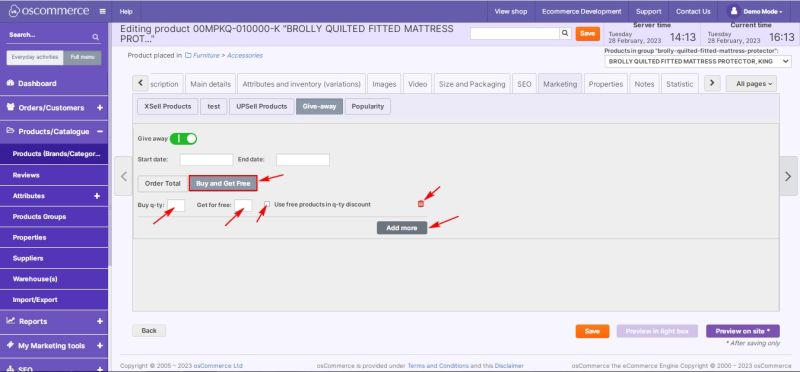
- Click the Buy and Get Free tab.
- In the Buy q-ty field, specify how many products must be purchased.
- In the Get for Free field, specify the number of giveaway products provided for this quantity.
- To include or exclude free products in the quantity discount, check or uncheck the box next to Use free products in quantity discount.
- Use the Add more button to create additional giveaway conditions or the trash icon to delete unnecessary ones.
3) Manage Giveaways via Admin Panel
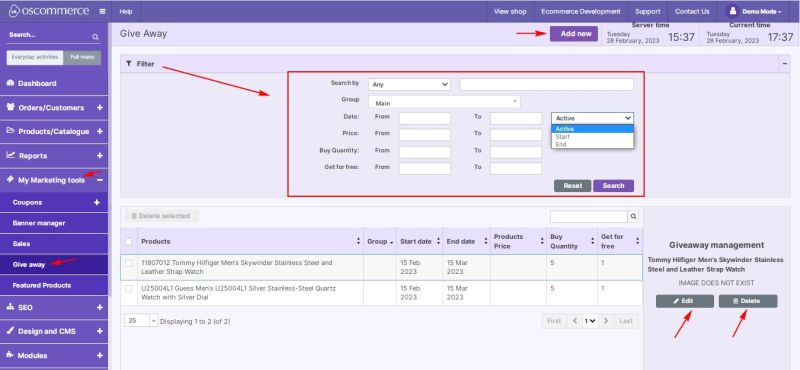
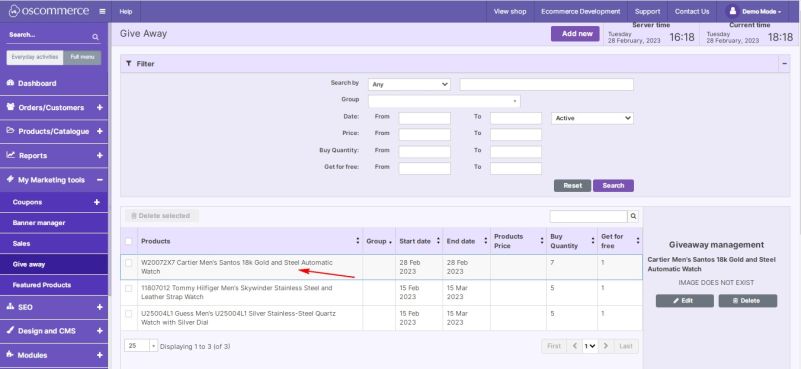
- Navigate to My Marketing Tools → Give Away tabs.
- Here you can:
- Add a new giveaway
- Filter, edit, or delete existing giveaways
4) Add a New Giveaway
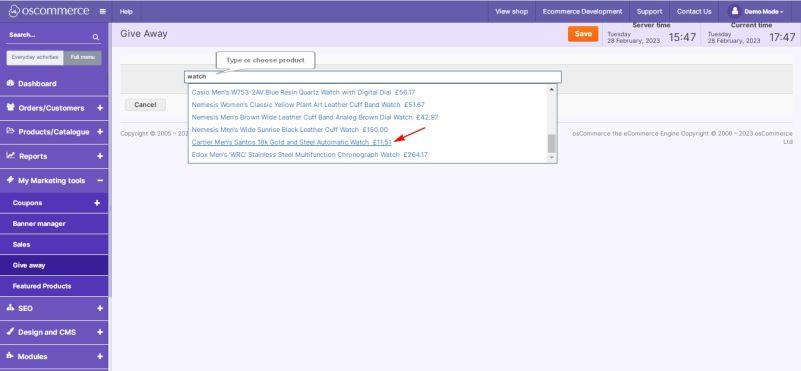
- Click the Add New button.
- Select the required product from the list.
3. Configure all remaining giveaway settings as described above.
- Note: When adding a giveaway from this section, there is an option to select a customer group (e.g. Main, Advanced, or Basic).
The Give Away functionality is now configured.
Customers can automatically receive free products based on your selected rules - either by total order value or by purchasing a specific quantity.