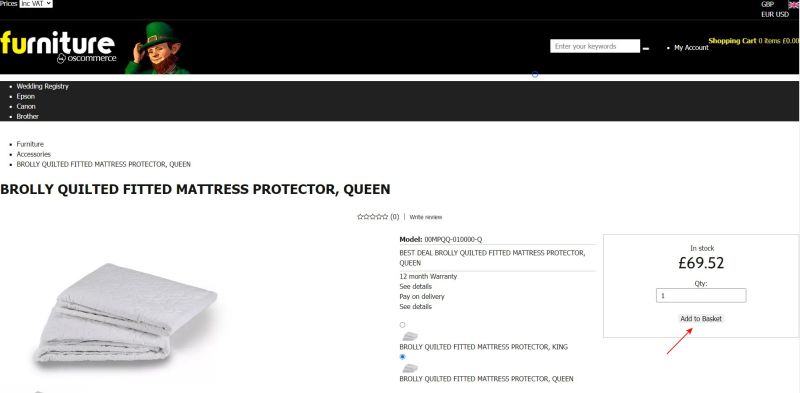
Managing XSell and UPSell
Jump to navigation
Jump to search
This manual explains how to configure XSell and Upsell product recommendations.
1) Understanding XSell and Upsell
- XSell (Cross-Sell): Suggests related or complementary products (e.g., accessories).
- Upsell: Suggests higher-value or enhanced product alternatives.
Both functionalities help customers discover additional items they may wish to purchase.
2) Accessing Product Marketing Settings
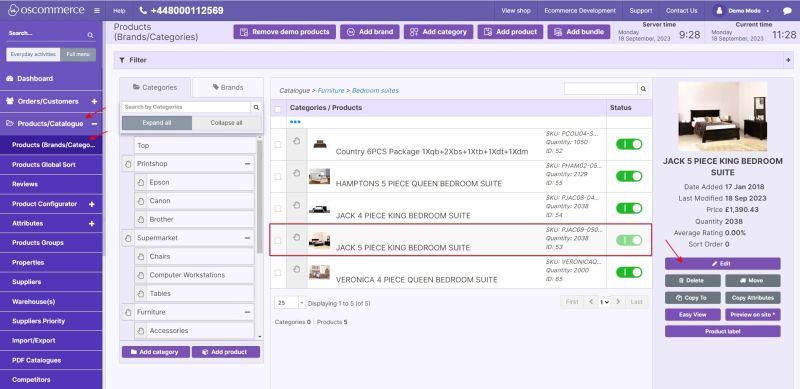
- Go to the admin area of your website.
- Click Products/Catalogue → Products (Brands/Categories).
- Select the required product.
- Click Edit to open the product settings.
- Navigate to the Marketing tab.
3) Assigning Products to XSell or Upsell
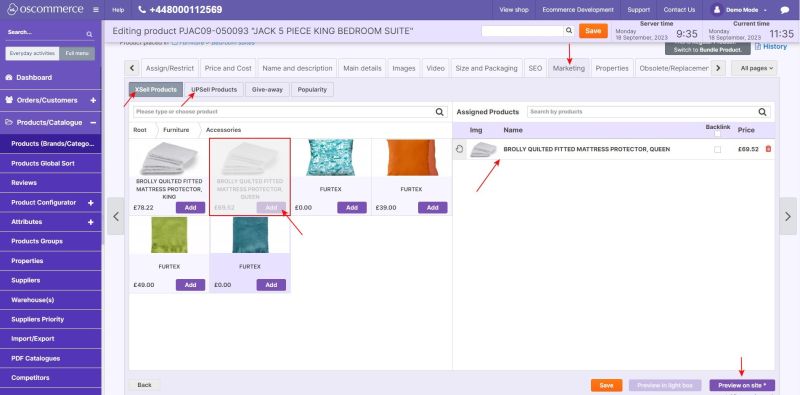
- Under the Marketing tab, choose either:
- XSell Products tab
- Upsell Products tab
- Search or select the product you want to assign.
- Click Add to link the product.
- The product will appear in the Assigned Products list.
- Repeat as needed to assign multiple recommendations.
4) How Recommendations Display to Customers
- When a customer views or purchases the configured product, they will see the recommended XSell or Upsell products displayed in the product view or checkout process.
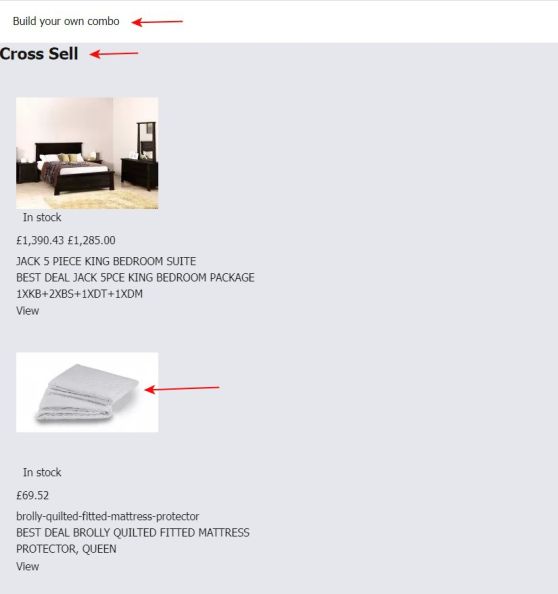
- Customers can click the recommended item’s image or name to open the product page and purchase it as usual.