Managing Reviews
Jump to navigation
Jump to search
This manual explains how to manage customer reviews in your store using the admin area.
Start with the video for a quick introduction to this functionality.
The manual below provides step-by-step instructions.
1) Accessing Reviews
- Log in to the admin area of your website.
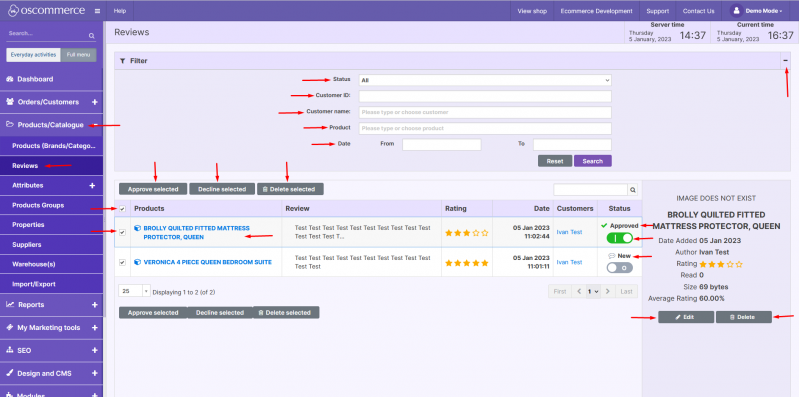
- Navigate to Products/Catalogue → Reviews.
2) Filtering and Searching
You can filter and search reviews by:
- Status (New, Approved, Declined)
- Customer ID
- Customer Name
- Product
- Date
3) Batch Processing Reviews
- Select one or multiple reviews.
- Choose the required action:
- Approve
- Decline
- Delete
4) Editing or Deleting Individual Reviews
- Click on a review to open it.
- Use the available options:
- Approve/Decline: switch the toggle after initial approval.
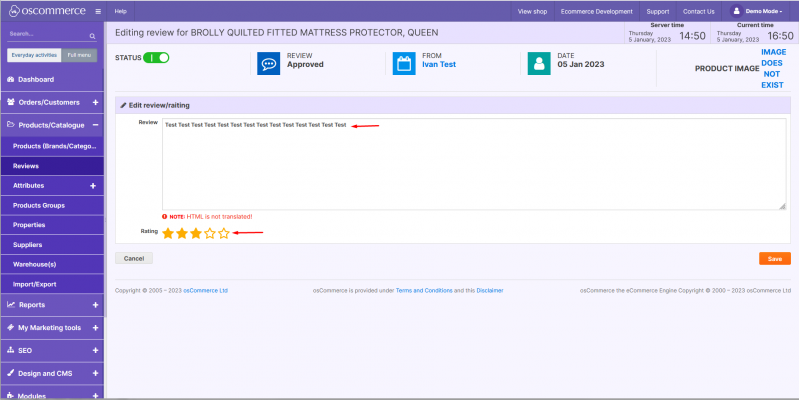
- Edit: update the review text or rating (See the second screenshot).
- Delete: remove the review.
5) Display on the Storefront
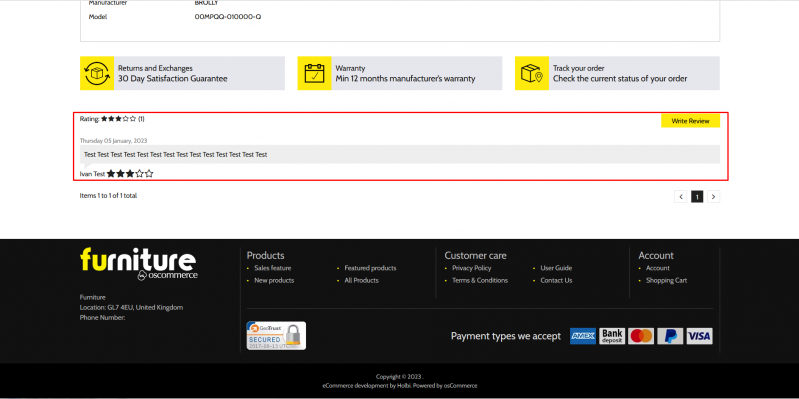
Once a review is approved, it will appear on the frontend.